


By using this site, you agree to the Privacy Policy and Terms of Use.
Accept
EveryTechEverEveryTechEver
  • News
    NewsShow More
    Acer Philippines Tops Laptop Market for 20 Years
    March 17, 2026
    TCL Elevates the Olympic Winter Games Experience at Milano Cortina 2026
    March 17, 2026
    TCL Milano Cortina 2026 Olympic Winter Games
    March 5, 2026
    The Pod Network Hits 50M Podcast Listeners PH
    March 5, 2026
    Globe AT HOME Launches Built-in Broadband
    February 28, 2026
  • Tech
    • Mobile
    • Computing
    • Auto
    • Cybersecurity
    • FinTech
  • Gaming
    GamingShow More
    Rapoo VH350S Review: A Budget Headset That Delivers
    Rapoo V Gaming Promo — Win eVouchers & Gaming Gear
    June 20, 2026
    Rapoo Gaming Peripherals Launch in Philippines
    March 19, 2026
    Globe AT HOME Launches Built-in Broadband
    February 28, 2026
    AGON by AOC x DAN DA DAN Anime Collab PH
    February 16, 2026
  • Lifestyle
    • Entertainment
    • Shopping
    • Appliances
    • Wellness
  • How-To
  • Reviews
    ReviewsShow More
    Rapoo VH350S Review: A Budget Headset That Delivers
    Redmi 15C Review: All in, All Day Performance and Comfort
    Xiaomi Smart Band 10 Review: The New King of Wearables?
    Redmi Note 14 Pro+ 5G Review: The Midrange King of 2025?
    Aurvana Ace 2 Review: Creative’s Comeback Earbuds Impress
  • About Us
    • Contact Us
Search
© 2023 EveryTechEver. Your daily source of everything tech. All Rights Reserved.
Reading: Metrobank Anti-Fraud Features: New App Security Updates 2026
Share
Sign In
Notification Show More
Font ResizerAa
EveryTechEverEveryTechEver
Font ResizerAa
Search
  • News
  • Tech
    • Mobile
    • Computing
    • Auto
    • Cybersecurity
    • FinTech
  • Gaming
  • Lifestyle
    • Entertainment
    • Shopping
    • Appliances
    • Wellness
  • How-To
  • Reviews
  • About Us
    • Contact Us
Have an existing account? Sign In
Follow US
© 2023 EveryTechEver. Your daily source of everything tech. All Rights Reserved.
EveryTechEver > Blog > Tech > FinTech > Metrobank Anti-Fraud Features: New App Security Updates 2026
FinTechTech

Metrobank Anti-Fraud Features: New App Security Updates 2026

Four New Reasons Your Money Is Safer With Metrobank

RV Cuarto
Last updated: August 16, 2026 2:23 AM
RV Cuarto
Published: August 16, 2026
Share
4 Min Read
SHARE

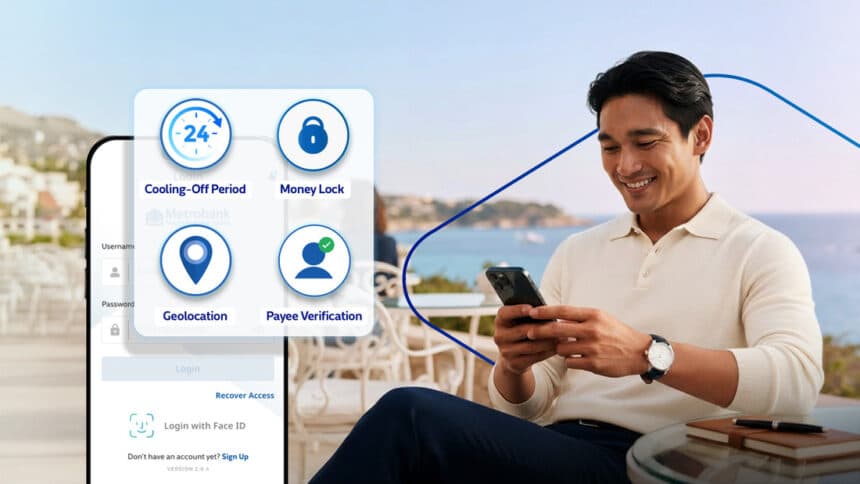
Mobile banking has made managing money more convenient. Unfortunately, it has also given scammers more opportunities to target unsuspecting users. According to the Bangko Sentral ng Pilipinas (BSP), social engineering attacks — including phishing, account takeovers, and identity theft — accounted for 76% of reported cyber fraud losses in 2025. As scams grow more sophisticated, Metrobank is fighting back with stronger security tools built directly into its app.

Contents
  • Feature 1: Cooling-Off Period — A 24-Hour Safety Buffer
  • Feature 2: Money Lock — Instantly Protect Your Savings
  • Feature 3: Geolocation — An Invisible Layer of Protection
  • Feature 4: Payee Verification — Double-Check Before You Send
  • A Safer Way to Bank Online

Metrobank recently rolled out four new Metrobank anti-fraud features in the Metrobank App. These updates give users more control over their accounts while making it significantly harder for fraudsters to access their money.

Feature 1: Cooling-Off Period — A 24-Hour Safety Buffer

Metrobank now automatically activates a 24-hour Cooling-Off Period whenever critical security settings change. For example, if your password or registered device gets updated, all transactions in your app are temporarily disabled for 24 hours.
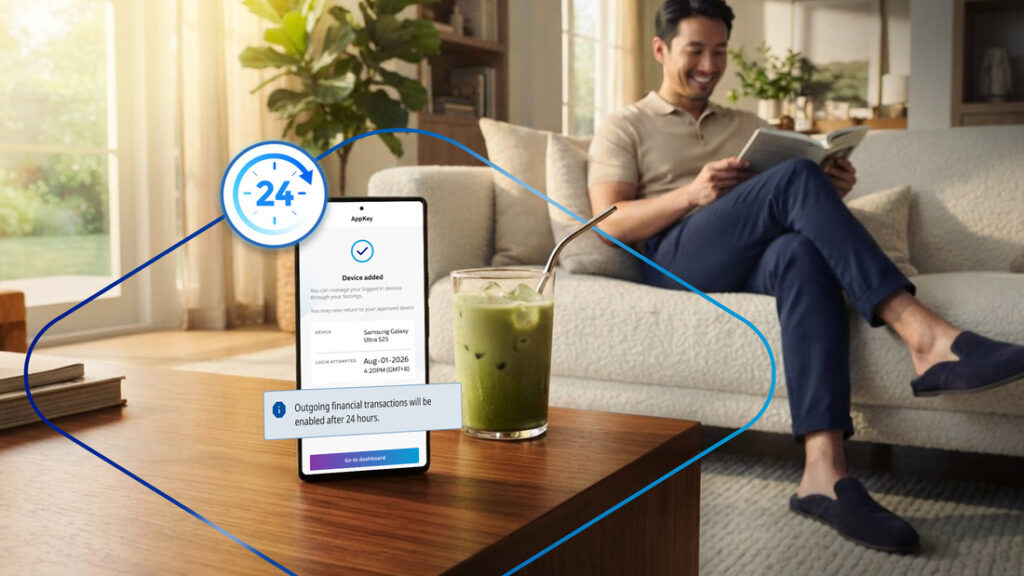
This gives you time to notice any suspicious activity, secure your account, and report unauthorized changes before any money leaves. If a scammer tries to change your account details, this feature buys you a full day to act. It is one of the most straightforward — yet effective — protections in the update.

- Advertisement -

Feature 2: Money Lock — Instantly Protect Your Savings

One of the biggest concerns after a phishing attack is how fast fraudsters can move your money. Metrobank’s new Money Lock feature solves this directly. It lets you instantly lock part or all of your available balance straight from the app.
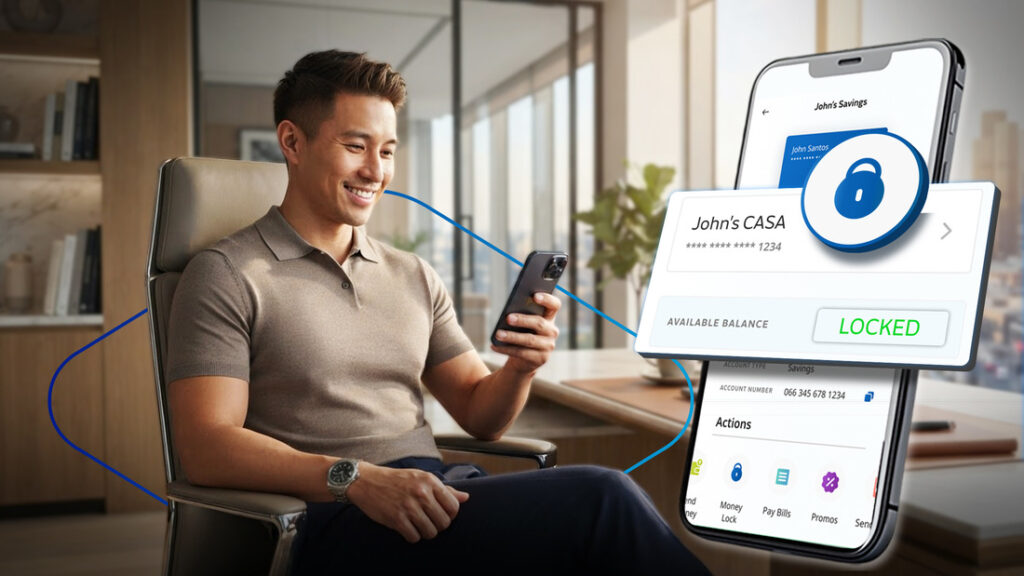
Once locked, those funds cannot transfer or be used in any transaction — including scheduled ones — until you unlock them yourself. Moreover, even if someone gains unauthorized access to your card, your Money Locked savings stay protected. Just make sure you keep enough available balance to cover upcoming scheduled transactions before locking your funds.

Feature 3: Geolocation — An Invisible Layer of Protection

Metrobank has also added Geolocation checks as an additional security layer. The app now checks whether a transaction comes from your registered mobile device and matches your device’s location. If anything appears unusual or inconsistent, the system flags the suspicious activity and helps block unauthorized transactions from pushing through.
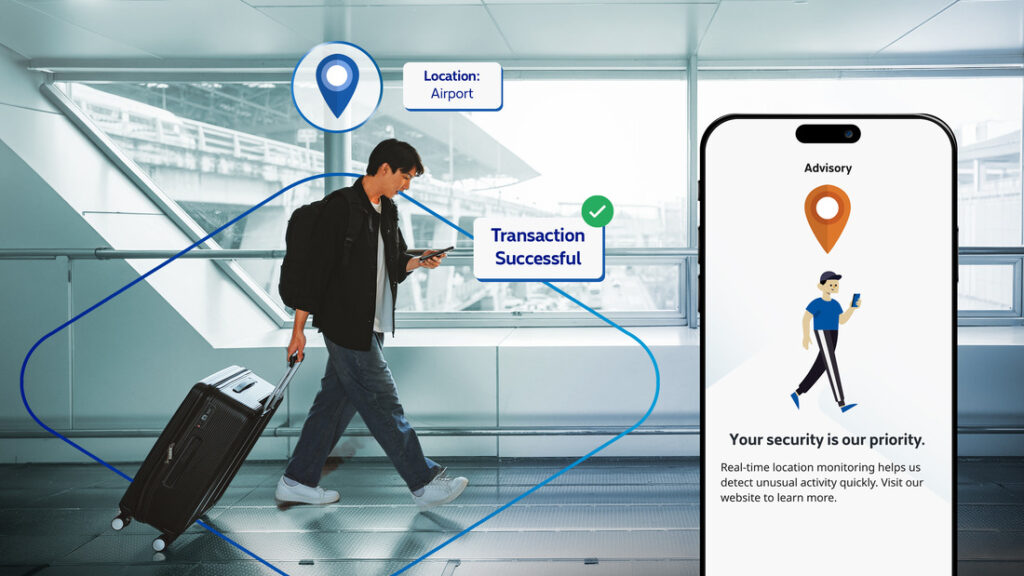
During normal use, this feature stays invisible in the background. However, it actively works to catch anything out of the ordinary — making it one of the quietest but most powerful additions in this update.

Feature 4: Payee Verification — Double-Check Before You Send

Sending money to the wrong account due to a typo is a costly and stressful mistake. Metrobank’s new Payee Verification feature helps prevent exactly that. Before completing a transfer to another Metrobank account, the app displays a masked version of the recipient’s registered account name. This way, you can confirm you are sending to the right person before the transaction finalizes.
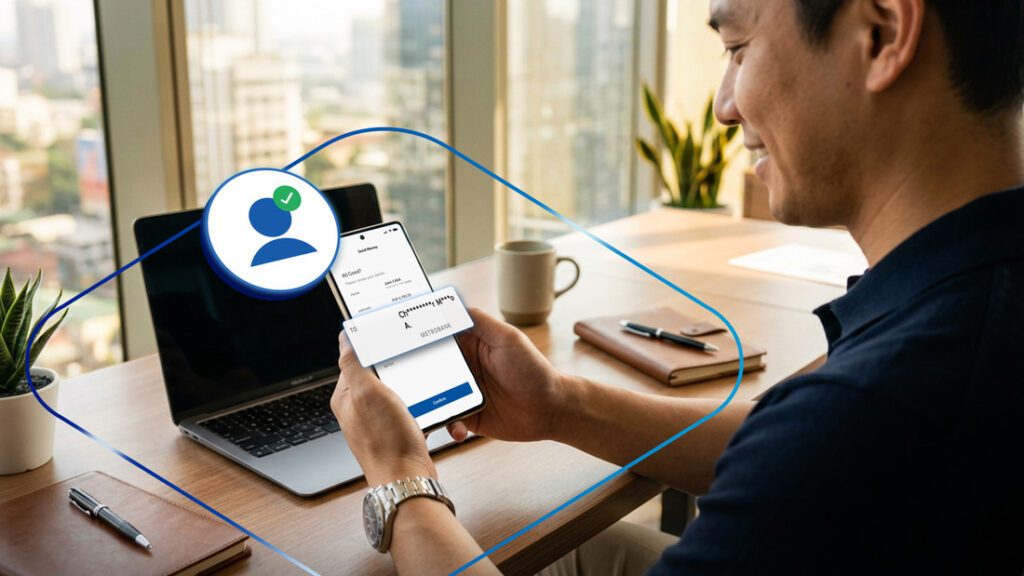
It is a simple addition — but it can save you from a very expensive and avoidable error.

A Safer Way to Bank Online

These four new security enhancements are part of Metrobank’s continuing efforts to strengthen digital banking security. They also align with the government’s broader anti-scam initiatives under the Anti-Financial Account Scamming Act (AFASA) and BSP Circular No. 1213.

To start using these features, update to the latest version of the Metrobank App today. As digital scams continue to evolve, having multiple layers of protection — and knowing how to use them — goes a long way toward keeping your money safe.

For more updates, visit metrobank.com.ph or follow @Metrobank on Facebook, X, Instagram, and TikTok.

vivo Y18t Officially Launched
OnePlus Ace 5 (13R) Design Officially Unveiled
Experience Gaming Bliss with Premium Chairs Crafted for Total Comfort
iPhone 17 Air Expected This Year
REDMI Book 16 2025: HyperOS 2 compatible & Long Battery Life
TAGGED:AFASA Philippinesanti-fraud Philippinesbank security featuresBSP anti-scamCooling-Off Period bankingcyber fraud Philippines 2026digital banking security PhilippinesMetrobank app updateMetrobank Philippinesmobile banking PhilippinesMoney Lock Metrobankonline banking scams PhilippinesPayee Verificationphishing Philippines

Sign Up For Daily Newsletter

Be keep up! Get the latest breaking news delivered straight to your inbox.
I have read and agree to the terms & conditions
By signing up, you agree to our Terms of Use and acknowledge the data practices in our Privacy Policy. You may unsubscribe at any time.
Share This Article
Facebook Copy Link Print
Share
ByRV Cuarto
Follow:
RV Cuarto is the founder and editor-in-chief of EveryTechEver, a startup team of writers and researchers. He started in tech journalism in the early days of 2012 as the founder of the successful tech site Nokia Revolution. His belt of experience spans across the industry, from consumer electronics, data operations, and cloud computing, with several brands including Dell, Nokia, Realme, and Huawei. He is also an HIV advocate and a public speaker. He spends his free time singing, playing mobile games, and experimenting with new recipes in his kitchen. Follow him on Tiktok.
Previous Article vivo X300 Ultra Philippines: Anne Curtis in Shanghai Disneyland
Next Article GAC MPV Philippines 2026: Is It the New Family Car?
Leave a Comment Leave a Comment

Leave a ReplyCancel reply

Stay Connected

235.3KFollowersLike
69.1KFollowersFollow
11.6KFollowersPin
56.4KFollowersFollow
136KSubscribersSubscribe
4.4KFollowersFollow
- Advertisement -
Ad imageAd image

Latest News

POCO Carnival 2026 Philippines: Discounts & 8th Anniversary Sale
Mobile
August 16, 2026
GAC MPV Philippines 2026: Is It the New Family Car?
Auto Lifestyle
August 16, 2026
vivo X300 Ultra Philippines: Anne Curtis in Shanghai Disneyland
Mobile
August 16, 2026
MSI Prestige 14 Flip AI+ Van Gogh Edition: Art Meets AI
Computing
August 16, 2026
//

Your daily source of everything tech.

//

We influence 20 million users and is the number one business and technology news network on the planet

Sign Up for Our Newsletter

Subscribe to our newsletter to get our newest articles instantly!

EveryTechEverEveryTechEver
Follow US
© 2023 EveryTechEver. Your daily source of everything tech. All Rights Reserved.
  • Privacy Policy
  • Terms of Service
  • Contact Us
Loading Comments...
Welcome Back!

Sign in to your account

Username or Email Address
Password

Lost your password?